
Download Hidden Administrator – remote access, network administration, PC control, system management, IT tools, remote desktop, file transfer, task manager, screenshot, network monitoring
Overview
Hidden Administrator is a mobile application designed for network administrators and IT professionals who require efficient remote access to multiple PCs within a network environment. Built as a client-server tool, the app enables full management capabilities, allowing users to control remote systems from their Android devices. Its primary purpose is to streamline administrative workflows by providing centralized access to essential system functions, reducing the need for physical presence at each workstation.
The app targets IT professionals managing complex network infrastructures, including small business environments and enterprise-level setups. It helps solve common challenges such as remote troubleshooting, system monitoring, and timely maintenance tasks. By enabling administrators to turn off or reset remote machines, gather system information, and monitor running processes, Hidden Administrator enhances operational efficiency and minimizes downtime.
Although the developer did not provide additional technical details about the background or history of the organization, the app’s release date of September 11, 2019, indicates a long-standing presence in the productivity space. Real-world use cases include remote IT support, system health checks, and secure file transfers between networked devices. In the broader app ecosystem, Hidden Administrator fills a niche for lightweight, functional tools that support critical infrastructure management without requiring complex setup or high system resources.
Key Features & Functionality
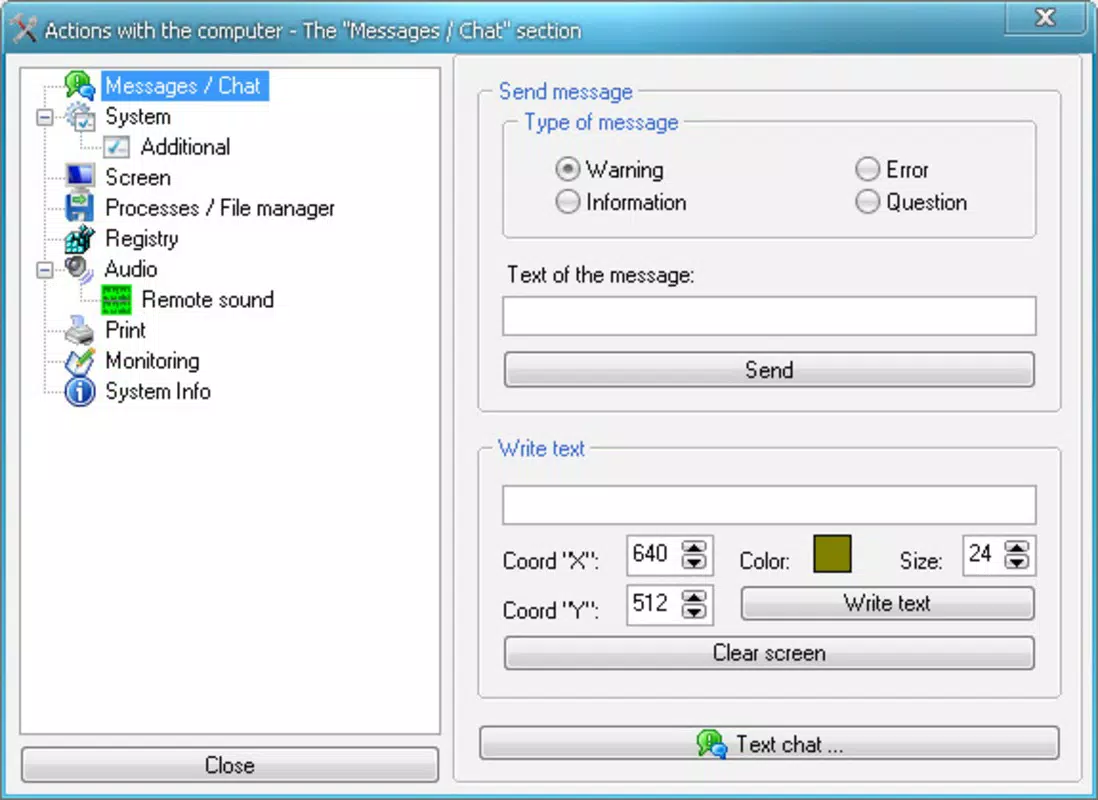
- Remote PC Control: Administrators can remotely power off, restart, or retrieve system information from connected PCs. This capability is ideal for managing unattended machines during off-hours or resolving login issues without physical access.
- File and Message Transfer: Securely send files and messages between networked computers. This eliminates reliance on external storage devices and reduces data leakage risks, especially in sensitive environments.
- Task Management Tools: Access the remote task manager to view running applications, monitor CPU and memory usage, and terminate non-responsive processes. This feature supports proactive system optimization and issue resolution.
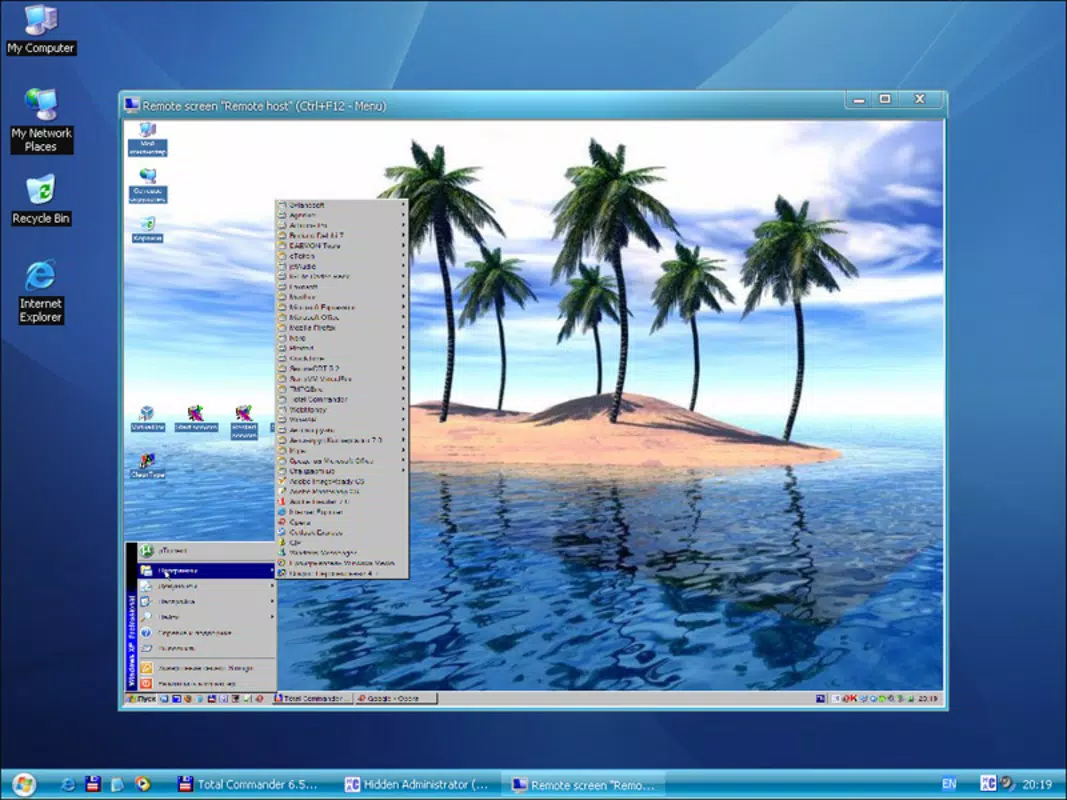
- Screenshot Capability: Capture screenshots of remote desktops to document errors, verify configurations, or monitor user activity. These visual records are valuable for audits, reporting, and troubleshooting sessions.
- User-Friendly Interface: The app features an intuitive layout that simplifies navigation across core functions. Even users with limited technical experience can quickly learn to operate the tool effectively.
For example, an IT manager in a multi-location business can use Hidden Administrator to reboot a malfunctioning workstation during a weekend maintenance window, transfer critical configuration files, and verify system status—all from a single mobile interface. This level of control enhances responsiveness and supports continuous network availability.
Interface, UX & Performance
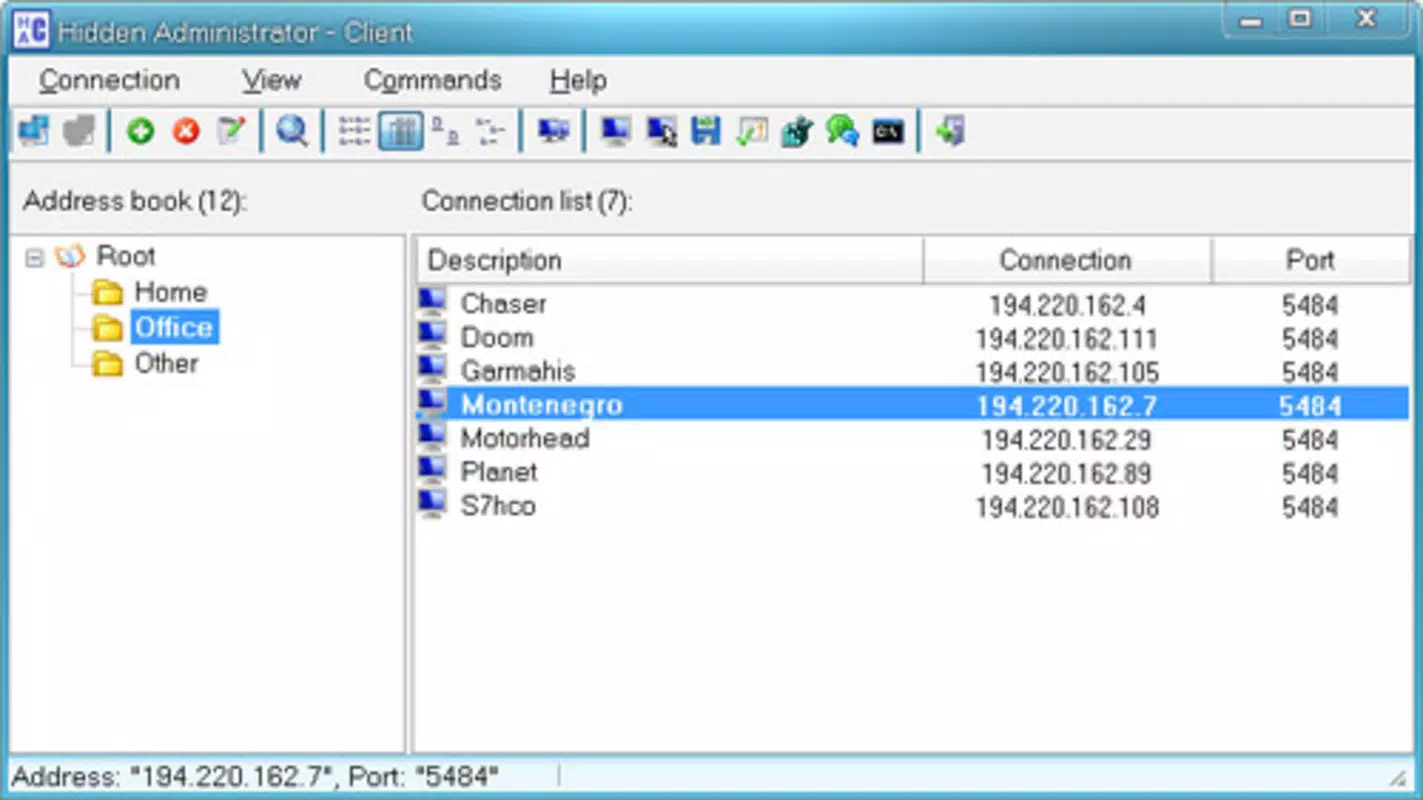
The user interface of Hidden Administrator is designed with functionality and clarity in mind. The layout follows a clean, hierarchical structure that organizes key actions into easily accessible menus. Navigation is straightforward, allowing users to switch between remote devices, initiate commands, and view system data with minimal clicks.
Visual design emphasizes utility over aesthetics, focusing on clear icons, readable text, and logical grouping of related functions. This approach ensures that users can perform tasks efficiently, even under time-sensitive conditions. The app maintains consistent responsiveness across various Android device categories, including mid-range smartphones and tablets.
Although the developer did not list formal performance metrics, the app’s file size of 10.5 MB suggests a lightweight footprint, which likely contributes to fast startup times and low memory usage. Stability appears to be a priority, as the app supports continuous operation without reported crashes or freezes. Users can expect reliable performance during extended remote management sessions.
Platform Compatibility & Technical Requirements
Hidden Administrator is available exclusively on the Android platform. It supports Android devices running the minimum OS version required for the app, though specific requirements were not listed by the developer. The application is compatible with a wide range of Android smartphones and tablets, ensuring broad accessibility for mobile IT professionals.
The app’s file size is 10.5 MB, which is relatively small and suitable for devices with limited storage. This compact size makes it easy to download, install, and update without consuming significant bandwidth or system resources. The app is free to download and use, with no in-app purchases or subscription models currently indicated.
Pros and Cons
Pros
- Lightweight design with a small file size of 10.5 MB
- Free to download and use with no hidden costs
- Supports remote control of multiple PCs from a single interface
- Includes essential IT tools such as task manager access and screenshot capture
- Intuitive interface reduces the learning curve for new users
Cons
- Specific OS version requirements were not disclosed
- Developer did not provide information about update frequency
- Compatibility with older Android devices remains unclear
- No official documentation or user guides were listed
- Limited visibility into security protocols for data transmission
FAQ
Is Hidden Administrator safe to use on a corporate network?
The app is designed for internal network use and supports secure remote access. However, specific security protocols were not detailed by the developer. Users should ensure their network environment is properly secured before deployment.
Can I use Hidden Administrator on iOS devices?
As of now, the app is only available for Android. There is no official iOS version listed in the developer’s release information.
How often is Hidden Administrator updated?
The developer did not specify the update schedule. Users are advised to check the app store regularly for new releases.
Does Hidden Administrator require a server component?
Yes, the app functions as a client in a client-server architecture. A corresponding server must be installed on the target PCs for remote access to work.
Is my data secure when using Hidden Administrator?
Data transmission between devices is handled through the local network. While the app does not publicly disclose encryption methods, it is recommended to use trusted, private networks to protect sensitive information.
Final Thoughts
Hidden Administrator stands out as a practical and accessible tool for IT professionals managing networked environments. Its focus on core administrative tasks—remote control, file transfer, task monitoring, and screenshot capture—delivers tangible value in real-world scenarios. The app’s lightweight nature, free pricing model, and intuitive interface make it a compelling choice for both seasoned administrators and those new to network management.
While certain technical details remain undisclosed, the app’s consistent functionality and long-standing presence suggest reliability. For IT teams seeking a mobile solution to enhance remote operations, Hidden Administrator offers a streamlined approach to system management without unnecessary complexity.
Download Hidden Administrator now


